// MLC Barcode v1.8.3
MLC Barcode
// Gallery
// Features
Why choose MLC Barcode.
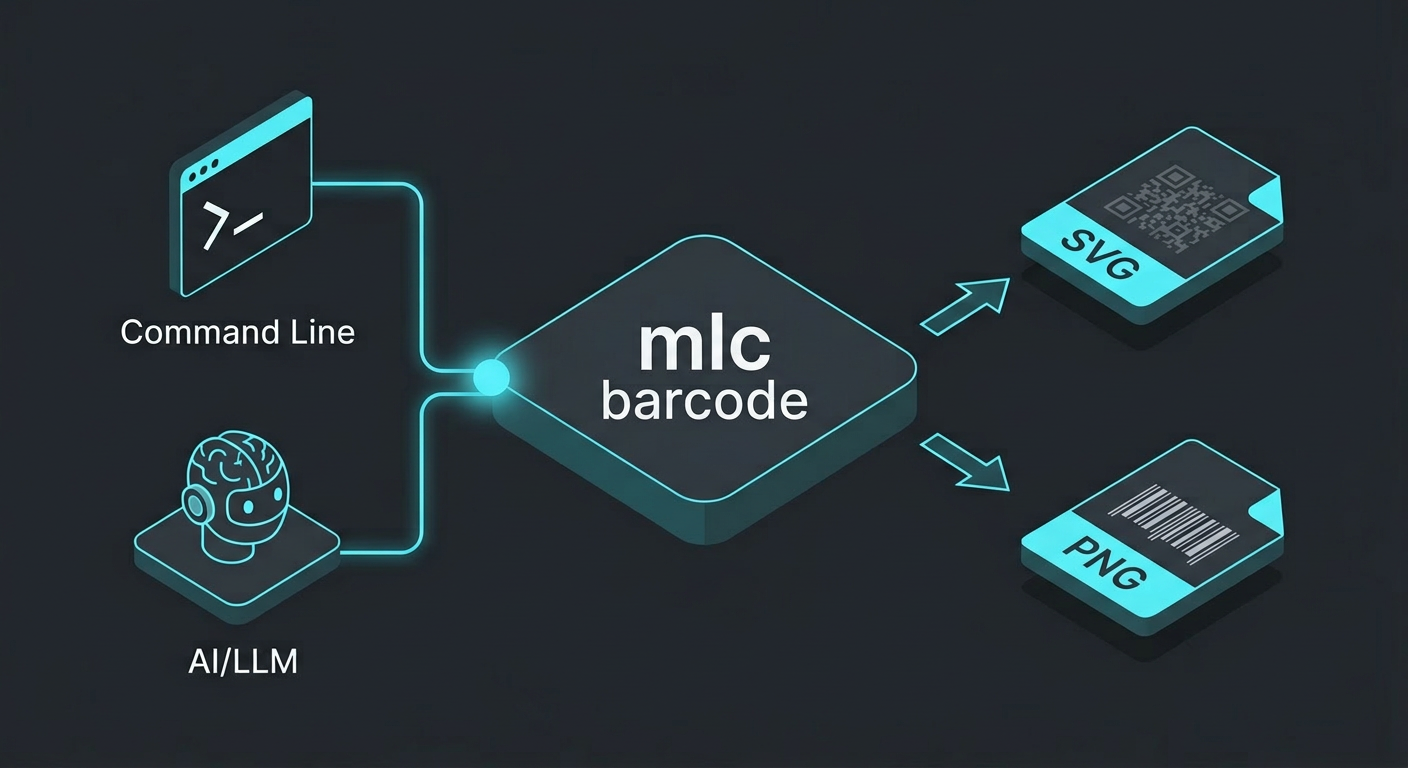
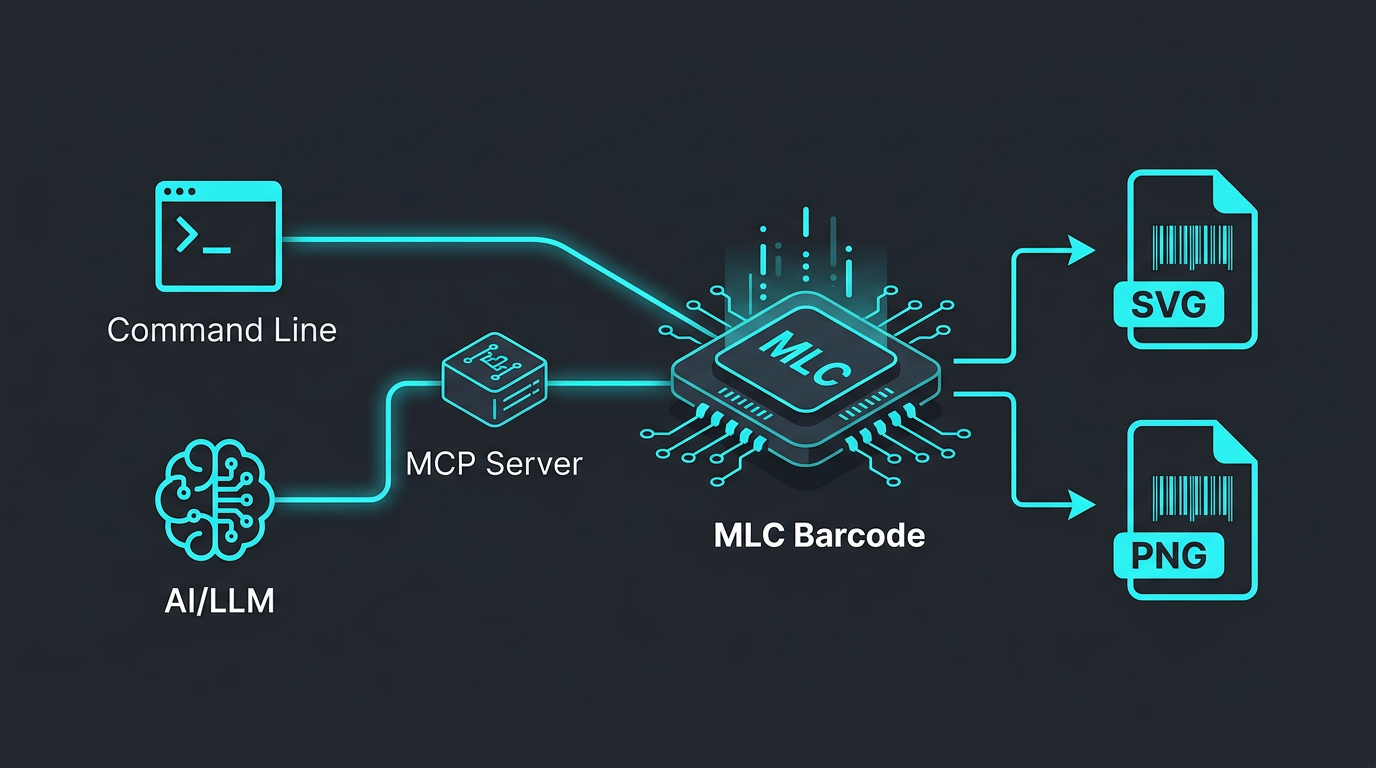
Claude, Gemini, Cursor or your own agent create and read barcodes right in the chat — eleven tools, six bundled Agent Skills, validated input and error messages the model can act on.
Scan with the camera — medicines with expiry date, payment QRs, Wi-Fi, tickets — even on bottles and tubes. Create and share codes. Everything is read on the device.
Check digits, character sets, error correction and quiet zones as the standards require; securPharm medicine codes in both IFA and GS1 format.
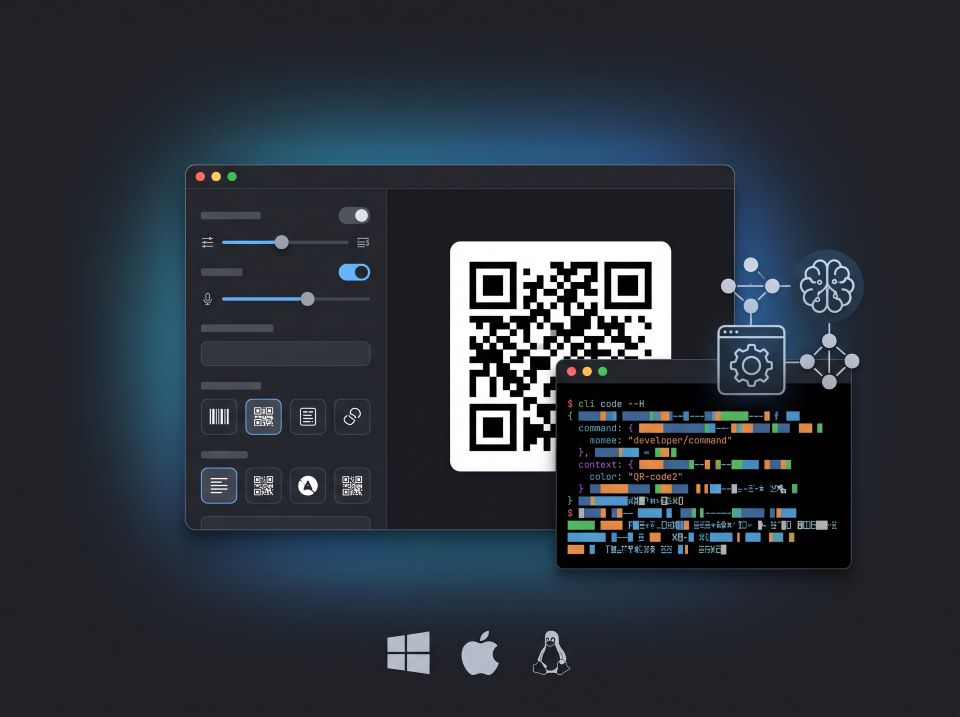
Fast, native desktop app built with Wails v3 and Svelte. Includes Dark/Light mode, live preview, and clipboard integration.
Supports QR Code, DataMatrix, Aztec, PDF417, Code 128, Code 39, EAN-13, EAN-8, UPC-A, and ITF.
Import lines from text/CSV files and generate hundreds of barcodes in bulk. Export all barcodes to a folder in SVG or PNG.
Pre-configured Avery label templates (2x4, 3x7, 3x8, 4x10) or custom grid dimensions with instant browser print dialog.
Crisp vector SVG or high-res PNG output with transparent backgrounds, 1-click color swatches, and custom dimensions.
Integrated generators for EPC-QR (SEPA banking transfers), Crypto wallets (BTC/ETH), Maps (geo:), Tel, SMS, Email (mailto:), Wi-Fi, vCard 3.0, and iCal events with custom captions.
Standalone terminal tool for CI/CD pipelines, shell scripts, and headless automation on Windows, Linux, and macOS.
// MCP Server Integration for AI Workflows
MCP Server Integration for AI Workflows
The main use case: equip assistants like Claude, Gemini CLI and Cursor with reliable barcode generation and reading via the Model Context Protocol. The server validates every input, so the model gets usable codes or a clear reason why not.
- Eleven tools: payment QR, Wi-Fi, vCard, event, location, phone, SMS, email, crypto, any barcode — and decode_barcode to read
- Six Agent Skills, e.g. payment QR from an invoice or medicine pack check
- stdio and Streamable HTTP; works with Claude Desktop, Claude Code, Gemini CLI, Cursor
- Artifact store connection (mlcartifact)
// Modern Desktop GUI with Live Preview
Modern Desktop GUI with Live Preview
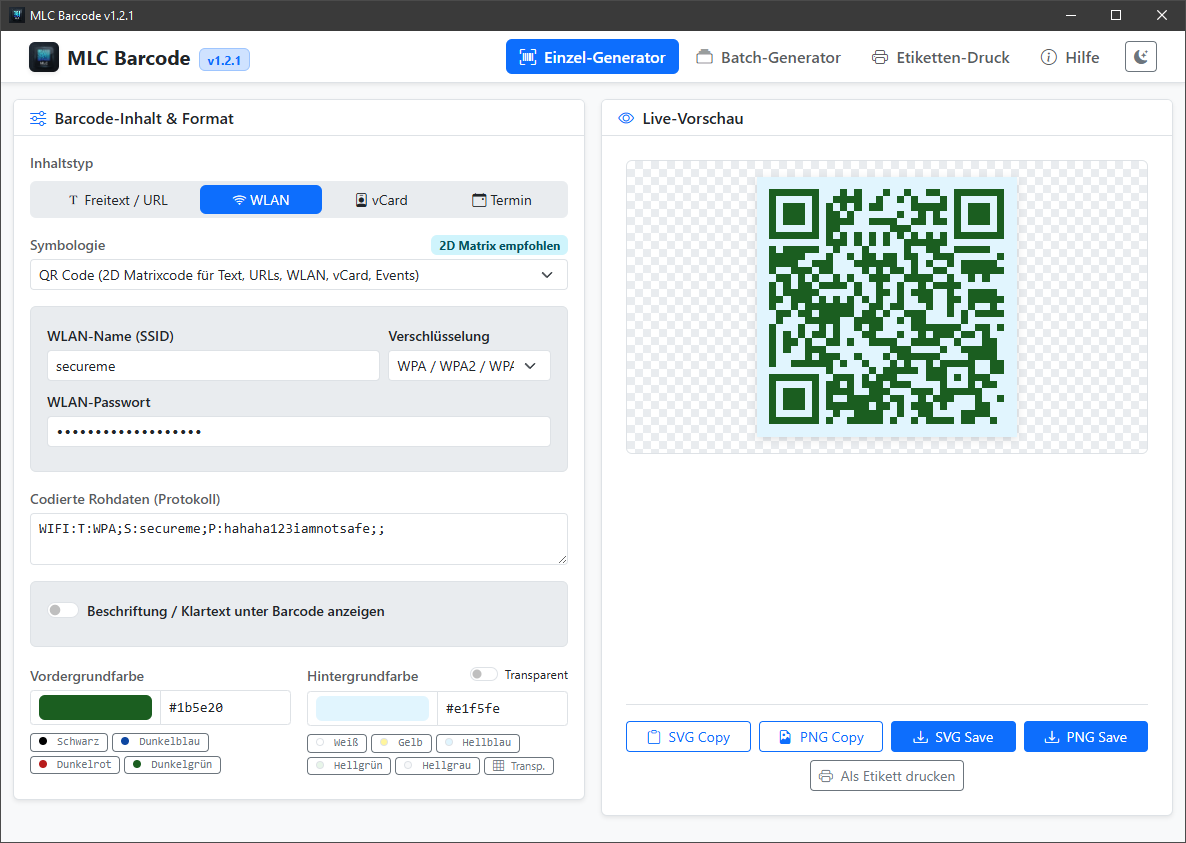
Create barcodes with instant live rendering as you type. Choose custom colors, transparent backgrounds, and add custom label captions without cryptic raw protocols.
- Instant live SVG rendering and copy to clipboard
- Custom text captions below 2D and 1D codes
- Structured assistants for GiroCode (SEPA), Crypto, Maps, Tel, SMS, Email, Wi-Fi, vCard, and Events
- Dark & Light mode support (Bootstrap 5.3)
- Native file save dialogs for SVG and PNG
// Batch Processing & Automated Folder Export
Batch Processing & Automated Folder Export
Process multiple barcodes in seconds. Load batch lists from text or CSV files, preview all generated items in an interactive table, and export all assets into a folder with configurable naming schemes.
- File picker for text and CSV import
- Configurable naming schemes (index numbering, sanitized data slugs)
- Bulk SVG and PNG export to any directory
- One-click transfer of entire batches to the Label Sheet Printer
// DIN A4 Label Sheet Printer
DIN A4 Label Sheet Printer
Arrange single or batch barcodes directly onto standard DIN A4 sticker sheets. Supports industry-standard Avery Zweckform layouts, configurable grid rows/columns, item repeats, and direct printing.
- Avery presets: 2x4 (8 labels), 3x7 (21 labels), 3x8 (24 labels), 4x10 (40 labels)
- Custom grid dimensions and label multiplier
- Optional clear text labels below each code
- Optimized CSS print styling for clean printer output
Barcodes and QR codes for AI assistants — standards-compliant, validated, ready to scan. MLC Barcode is first and foremost a Model Context Protocol (MCP) server: Claude, Gemini, Cursor or your own agent create and read barcodes right in the conversation. The same engine powers the apps for iPhone, iPad and Android, the desktop app for Windows, macOS and Linux, and the command-line tool.
What it does
- A tool for AI assistants (MCP server) — the main use case. Tell your assistant "make me a payment QR code for €49.90 for invoice 1234" and it hands back the finished image. Eleven tools create and read codes; six bundled guides (Agent Skills) show the model how common tasks are done right.
- Apps for iPhone, iPad and Android — point the camera and read: medicines with their expiry date, payment QR codes, Wi-Fi access, business cards, tickets, parcels. Create codes and share them. Everything stays on the device.
- Desktop app (Windows, macOS, Linux) — single codes with live preview, colours, transparency and captions; check codes from images.
- Batch processing & label sheets — hundreds of codes from text or CSV files, export as SVG/PNG, print on Avery label sheets.
- Command line (CLI) — for shell scripts, CI/CD pipelines and automation.
Built for AI assistants
A language model roughly knows what a payment QR code looks like — but a banking app only accepts the exact EPC069-12 format, with a valid IBAN and within the field limits. MLC Barcode takes that detail work off the model:
- Domain tools instead of raw formats: payment QR (GiroCode/EPC), Wi-Fi, business card, calendar event, location, phone, SMS, email and crypto payment each have their own tool with clear fields. The model fills in fields; the server builds the standards-compliant payload.
- Validation before output: invalid IBANs, wrong check digits, exceeded field lengths, or codes too dense or too small to scan are rejected — with an error message that says what is wrong and how to fix it. The model corrects itself instead of delivering an unusable code.
- Read and double-check codes:
decode_barcodereads photos, scans and screenshots and returns the content split into fields — recipient, amount and IBAN check for payment QRs; PZN, batch, expiry date and serial number for medicine packs. The assistant can also read back any code it just created, as a check. - Bundled guides (Agent Skills): payment QR from an invoice, contact card, event invitation, label sheet, medicine check and guest Wi-Fi — the model fetches them when needed.
Examples that just work:
- "Here is the invoice as a PDF — make me a payment QR code for it."
- "Read the code on this photo of the pack. Has the medicine expired?"
- "Create EAN-13 labels with human-readable text for these 40 article numbers."
- "Make a QR code for our guest Wi-Fi to print out."
The server speaks stdio and Streamable HTTP and works with Claude Desktop, Claude Code, Gemini CLI, Cursor and any other MCP client. Step-by-step setup: MCP guide · Every tool and parameter: MCP reference
Apps for iPhone, iPad and Android
The mobile app is not a cut-down spin-off — it uses the same reading and generating engine as the server and the desktop:
- Scan with the camera — all ten formats, several codes in one picture, even on curved surfaces such as medicine bottles and tubes. A "square / barcode" switch makes reading faster when you know what to expect; torch and front camera are built in.
- Check medicines — the square code on the pack gives the expiry date, batch and PZN; expired packs are marked in red. Packs with only a barcode are recognised by their PZN.
- History — every scan with date and time, stored only on the device.
- Create and share — link/text, Wi-Fi, business card, payment QR, calendar event and location; "My details" pre-fill contact, location and event.
- Private by design — codes are read on the device, nothing is uploaded. English and German.
Availability: the Android app is available as an APK in the downloads section. iPhone and iPad are coming to the App Store soon.
Key Features
- 10 Barcode Symbologies:
- 2D Matrix: QR Code, DataMatrix (ideal for URLs, vCards, Wi-Fi, and Events), Aztec (tickets, readable on screens).
- 2D Stacked: PDF417 (boarding passes, shipping labels, ID cards).
- 1D Linear: Code 128, Code 39, EAN-13, EAN-8, UPC-A, ITF (Interleaved 2 of 5).
- Structured QR Assistants: Built-in form wizards for:
- 💶 GiroCode / SEPA Transfers (EPC-QR): Invoicing and bank payments with IBAN, BIC, amount, and reference.
- 🪙 Crypto Wallets: Payment URIs for Bitcoin (BIP 21), Ethereum (EIP-681), Solana, Dogecoin, and Litecoin.
- 📍 Maps & Navigation: Geo coordinates (RFC 5870) for Google Maps and Apple Maps.
- 📞 Phone (tel:) & SMS (smsto:): Direct phone dialing and pre-filled SMS messages.
- ✉️ Email (mailto:): Recipient, subject line, and body text.
- 📶 Wi-Fi Access: WPA/WPA2/WPA3, WEP, and open networks.
- 👤 vCard 3.0: Digital business cards with name, phone, email, and company.
- 📅 iCalendar: Events with start/end timestamps and timezone support.
- Read & check codes: Read barcodes and QR codes from photos, scans or screenshots – all ten formats including PDF417, with the payload split into fields: IBAN check for payment QRs, PZN, batch and expiry for pharmaceutical pack codes (securPharm). In the desktop app every generated code is read back automatically.
- Custom Text Captions: Add human-readable subtitles or descriptions below barcodes – adjustable font size, in SVG and PNG.
- Vector & Raster Formats: Pixel-perfect vector graphics (
SVG) and high-resolutionPNGimages. - Color & Transparency Control: 1-click color palettes for foreground and background, plus transparent alpha channel support.
- Dark & Light Mode: Interface in the colours of mlcgo.eu, dark by default, one click to switch to light.
- Windows Setup Installer: Seamless NSIS installer for Windows x64 with desktop shortcuts and start menu integration.
Tip: is your medicine cabinet up to date?
Easiest with the app: point the camera at the square code on the medicine pack (DataMatrix) — done. On a computer, take a photo of it and drop it into the "Check" tab. MLC Barcode shows the expiry date, batch and PZN – and marks expired packs in red. It works best with the code centred and filling the photo – one pack per photo.
Note: the code (securPharm) is mainly printed on prescription medicines; over-the-counter packs often carry only the PZN barcode without an expiry date. The app reads the printed date – whether a medicine should still be used is best checked with your pharmacy.
Formats & Standards
A barcode is only as good as its readability — at the checkout, in the warehouse, in a banking app. That is what international standards are for: they define which characters a format can carry, how check digits are calculated, how much damage a code survives and how much blank margin (quiet zone) it needs around it. MLC Barcode follows these standards — in the app, on the command line and in the MCP server alike.
| Format | Typical use | Standard | Status |
|---|---|---|---|
| QR Code | URLs, Wi-Fi, business cards, payments | ISO/IEC 18004 | ✅ included |
| DataMatrix (ECC 200) | Medicines, components, small surfaces | ISO/IEC 16022 | ✅ included |
| Aztec | Rail and airline tickets, screens | ISO/IEC 24778 | ✅ included |
| PDF417 | Boarding passes, shipping labels, ID cards | ISO/IEC 15438 | ✅ included |
| Code 128 | Shipping, logistics, all ASCII characters | ISO/IEC 15417 | ✅ included |
| Code 39 | Warehouses, government, PZN on medicines | ISO/IEC 16388 | ✅ included |
| EAN-13 / EAN-8 | Retail products (with check digit control) | ISO/IEC 15420, GS1 | ✅ included |
| UPC-A | Retail products, North America | ISO/IEC 15420, GS1 | ✅ included |
| ITF (Interleaved 2 of 5) | Outer packaging, cartons | ISO/IEC 16390 | ✅ included |
| GS1 DataMatrix / GS1-128 | Medical devices (UDI), batch and expiry date | GS1 General Specifications | 🔜 planned |
What the standards define — and what MLC Barcode takes care of
Error correction (QR, DataMatrix, Aztec, PDF417). 2D codes carry redundant data using Reed-Solomon coding. A QR code has four levels that restore roughly 7, 15, 25 or 30 % of damaged area; MLC Barcode uses the medium level M (15 %) by default — robust enough for print and screens without making the code needlessly dense. Aztec codes get 23 % error correction, DataMatrix ECC 200 and PDF417 the correction their standards specify.
Check digits (EAN, UPC, Code 128). EAN-13, EAN-8 and UPC-A end with a check digit calculated the GS1 way (modulo 10). MLC Barcode checks it as you type: if it is missing, it is added; if it is wrong, the app tells you the right one. Code 128 carries a check character (modulo 103) that is calculated automatically.
Character sets. Not every format takes every character: Code 39 knows only 43 characters (A–Z, 0–9, - . $ / + % and space), ITF only digits in even numbers, EAN and UPC only digits of a fixed length. Instead of silently producing a wrong code, MLC Barcode tells you which character at which position does not fit and what to do instead. Umlauts, € and emoji in QR and PDF417 are flagged as UTF-8 (in PDF417 via ECI 26) so that compliant scanners display them correctly.
Quiet zone. Scanners find the start of a code by its blank margin, and the standards prescribe it: four modules for QR codes, at least ten for Code 128, Code 39 and ITF, 11 and 7 modules for EAN-13. MLC Barcode adds this margin automatically — which matters most on coloured or busy backgrounds.
Readability in print. Too much data on too little space produces modules no printer or camera can resolve. MLC Barcode rejects such codes and says what helps: shorter content, a link instead of the full text, or a minimum size in pixels.
Medicine pack codes (securPharm)
Since 2019, prescription medicines in the EU carry a DataMatrix code against counterfeiting (Directive 2011/62/EU, Delegated Regulation (EU) 2016/161; implemented in Germany by securPharm). It holds the product number (PZN or GTIN), batch, expiry date and serial number. Two data formats are allowed — the IFA format with PPN and the GS1 format with NTIN — MLC Barcode reads both, verifies the check digits and shows the expiry date in plain words. Packs with only a barcode carry the PZN as Code 39; the app recognises that too.
QR contents by standard — so banking apps, calendars and phones understand them directly:
| Content | Standard |
|---|---|
| EPC QR / SEPA transfer (GiroCode) | EPC069-12 |
| Wi-Fi access | ZXing WIFI format (WPA/WEP/open) |
| Business card | vCard 3.0 (RFC 2426) |
| Calendar event | iCalendar (RFC 5545), all-day too |
| Location | geo URI (RFC 5870) |
| Phone, SMS, email | tel: (RFC 3966), smsto:, mailto: (RFC 6068) |
| Crypto payment | BIP 21 (Bitcoin), EIP-681 (Ethereum) |
Quick Setup & Installation
MCP Server for AI Assistants
You do not start the server yourself — your AI client (Claude Desktop, Claude Code, Gemini CLI, Cursor) does. You only put its absolute path into the client's configuration, for Claude Desktop in claude_desktop_config.json:
{
  "mcpServers": {
    "mlc-barcode": {
      "command": "C:\\Program Files\\MLC Barcode\\mcp-barcode-server.exe"
    }
  }
}
That is the path after the Windows setup. On macOS and Linux use the place you unpacked the archive to, e.g. /Users/me/tools/mlc-barcode/mcp-barcode-server. Then restart the client.
Step by step for every client, with troubleshooting: MCP guide
Android App
Download mlc-barcode-android.apk and open it on your phone. The first time, Android asks whether installs from this source are allowed — confirm once and you are done. On the first scan the app asks for camera access.
iPhone & iPad
Coming to the App Store soon.
Windows Desktop App
Download and run the installer mlc-barcode-1.8.3-windows-setup.exe. The application installs and integrates with your start menu. A portable standalone executable is also available.
Linux Desktop App
Download the mlc-barcode-gui binary, make it executable, and run:
chmod +x mlc-barcode-gui
./mlc-barcode-gui
CLI Quickstart
# Basic QR code as SVG
barcode -type qr -data "https://mlcgo.eu" -out qr.svg

# EAN-13 retail barcode with text
barcode -type ean13 -data "4006381333931" -text -out retail.png

# Wi-Fi access QR code
barcode -wifi-ssid "MyNetwork" -wifi-pass "secret123" -out wifi.png
Changelog & Version History
Version 1.8.3 (Current)
- New (macOS): "From Photos" – pick a photo straight from the Photos library and read its codes, in the "Check" tab and in the mobile view (macOS 13 and later). HEIC photos from the iPhone are read too.
- Fixed (macOS): the webcam could not be used – macOS now asks for camera access on the first scan.
- Fixed (macOS): the window buttons no longer cover the header.
Version 1.8.1
- Maintenance: the app now runs on the stable 3.1 release of its framework; the Android app targets current Android (API 36).
- Fixed: on Windows, the app's file properties now show its version number.
- Security: current libraries.
Version 1.8.0
- New: apps for iPhone, iPad and Android. A mobile interface of its own: scan with the camera, history with date and time, create codes, save them as an image and share them. Codes are read on the device; nothing is uploaded. The Android app is available as an APK in the downloads; iPhone and iPad follow in the App Store.
- New: read codes on bottles and tubes – curved surfaces are unrolled computationally; a shape switch (auto, flat, bottle, tube) helps when needed.
- New: codes anywhere in the picture – DataMatrix and Aztec are no longer found only near the centre, and several per photo; large photos are read up to 15 times faster.
- New: medicines without a DataMatrix – the PZN in the Code 39 barcode is recognised; in the German interface a button leads to the BfArM lookup.
- New: camera on the desktop too – scan live in the "Check" tab, switch cameras, pick a region.
- New: interface in English and German – follows the system language, switchable.
- New: "My details" pre-fill contact, location and event; events name who invites (ORGANIZER).
- New: unusable codes are rejected – invalid IBAN, exceeded payment-QR limits, codes too dense or too small, with a hint on what helps. Applies to the app, CLI and MCP server.
- New in the MCP server: six Agent Skills (payment QR from an invoice, contact card, event invitation, label sheet, medicine check, guest Wi-Fi), cacheable tool lists, and a reference of every tool, also as PDF.
- Fixed: Windows installer – shortcuts for all users instead of only the admin account, no duplicate entry under "Apps" after updating, a prompt when the app is still running.
- Fixed: the camera asked for permission again on every start.
- Security: current Go version and libraries – all known vulnerabilities fixed.
- Sponsored by H&M Software-Netzwerktechnik-GmbH.
Version 1.7.0
- New: reading PDF417 – boarding passes, shipping labels, ID cards. The app now reads all ten formats it generates, rotated and several per image too.
- New: pharmaceutical pack codes (securPharm) – the DataMatrix on medicine packs is split into PZN, expiry date, batch and serial number, with check-digit verification. Expired packs are marked red. Both permitted data formats (GS1 and IFA) are supported. New – feedback with real packs is welcome.
- Fixed: PDF417 with umlauts was read as garbage by standard-conforming scanners ("GröÅ"). Now properly marked as UTF-8,
€and emoji included. - Licences: the PDF417 reader is a Go port of ZXing (Apache-2.0); all third-party licences ship as
THIRD_PARTY_NOTICES.txtand are shown in the Help.
Version 1.6.0
- New: read and check codes. New "Check" tab: pick, drop or paste (Ctrl+V) an image – the app recognises QR, DataMatrix, Aztec, EAN/UPC, Code 128, Code 39 and ITF, several per image. Known payloads are split into fields: for a payment QR beneficiary, amount, reference and an IBAN check; likewise business cards, Wi-Fi, events, locations and more. Also as CLI (
barcode -decode) and MCP tooldecode_barcode. - New: every generated code is read back. The preview shows "readability checked" – or warns, e.g. when code and background colour have too little contrast.
- New: Aztec and PDF417 (rail and air tickets, shipping labels). Note: phone cameras usually do not read these formats; they are meant for dedicated scanners.
- New: error messages that help – which character at which position does not fit, what is allowed and what to do instead; in German inside the app.
- Fixed: quiet zone. Generated codes had no margin; on coloured or busy backgrounds DataMatrix and ITF could not be read. Now per standard, can be switched off.
- Fixed: business cards and events with comma, semicolon or line break were written incorrectly ("GmbH; Branch" split into two entries). Crypto codes showed "+" instead of spaces. Please regenerate affected codes.
- Fixed: links in the app open in the browser instead of a second window; long Code 128 barcodes could not be generated; the in-app MCP help describes the setup for end users.
Version 1.5.0
- Important — fixed: UPC-A was encoded as the wrong number. A 12-digit UPC-A became an EAN-13 with a different number; scanners read something else. Please regenerate UPC-A codes made with version 1.4.0 or older.
- New: check-digit validation for EAN-13, EAN-8 and UPC-A while you type. A missing check digit is added; a wrong one is named and corrected with one click. Also in CLI and MCP.
- New: interface in the colours of mlcgo.eu, dark by default.
- New: captions with adjustable font size — now in PNG too (previously SVG only); over-long text shrinks to the barcode width.
- New: calendar events with date and time pickers instead of
YYYYMMDDTHHMMSS, plus all-day events. - New: label printing takes over the codes from the batch generator or imports TXT/CSV directly — column 1 content, column 2 optional label text.
- New in the MCP server: Streamable HTTP at
/mcp(spec 2026-07-28), structured results, two prompts (payment QR from an invoice, product labels), custom captions (caption). Checked with mlc mcp-tester: score 100/100. - Changed: the legacy SSE transport now lives at
/sse(previously/). - Fixed: label sheets print without the browser header and footer; input survives switching tabs; the Windows program now shows its icon (taskbar, Explorer) and version details; empty input no longer produces a code; EAN-13 no longer accepts 8 digits.
- Licence: MIT with attribution — shown in the installer, in the Help and as
LICENSE.txtin every package.
Version 1.4.0
- New: GiroCode (EPC QR) to EPC069-12 — every European banking app uses it to pre-fill a SEPA credit transfer.
- New: Cryptocurrency payments to BIP 21 and EIP-681 for Bitcoin, Ethereum, Solana, Dogecoin and Litecoin.
- New: Geo coordinates to RFC 5870 — opens the destination straight in Google Maps, Apple Maps or OpenStreetMap.
- New: Telephone, SMS and email to RFC 3966 and RFC 6068, with recipient, subject and body pre-filled.
- All six formats are available equally in the desktop GUI, on the command line and as MCP tools for AI agents.
- Fixed: spaces in the subject and body of an email QR code were encoded as
+. RFC 6068 gives the plus sign no special meaning, so conforming mail clients showed a plus instead of a space.
Version 1.3.0
- New: Native Desktop GUI (Wails v3 + Svelte) with live visual preview and clipboard export.
- New: Windows Setup Installer (NSIS) for quick installation on Windows machines.
- New: Batch Processing Engine with text/CSV file import and folder export using customizable naming conventions.
- New: DIN A4 Label Sheet Printer supporting standard Avery presets (2x4, 3x7, 3x8, 4x10) and multi-copy repetitions.
- New: Custom Text Captions (
customText) below barcodes replacing raw protocol strings. - New: 1-Click Color Palettes and transparent background support for SVG and PNG.
- New: Dark & Light Mode powered by Bootstrap 5.3 with local persistence.
- New: Custom High-Res App Branding & Icons across desktop, installer, and webview.
Version 1.2.0
- New: Structured QR code generators for Wi-Fi, vCard 3.0, and iCalendar events.
- New: Support for ITF (Interleaved 2 of 5) symbology.
- Improvement: Optimized SVG path generation with horizontal bar grouping for ultra-compact file sizes.
Version 1.0.0
- Initial release of CLI and MCP server supporting QR, DataMatrix, Code 128, Code 39, EAN-13, EAN-8, and UPC-A.